What is Network-Attached Storage?
Network-Attached Storage (NAS) is a
type of dedicated file storage device that provides local-area network (LAN)
nodes with file-based shared storage through a standard Ethernet connection.
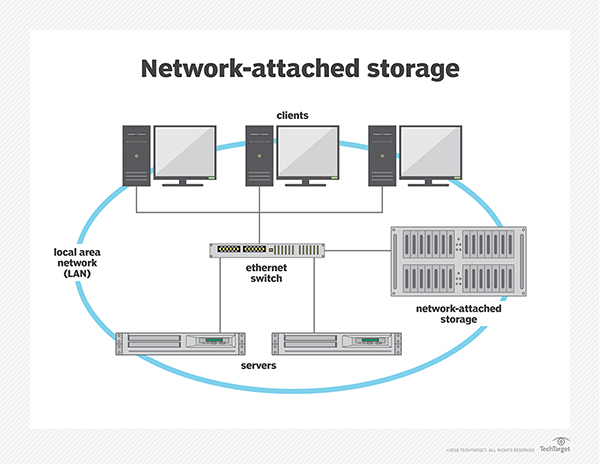
NAS devices, which typically do not
have a keyboard or display, are configured and managed with a browser-based
utility program. Each NAS resides on the LAN as an independent Network node and
has its own IP address.
7 BENEFIT OF OWNING AN NAS SERVER
1. Adding Storage Space
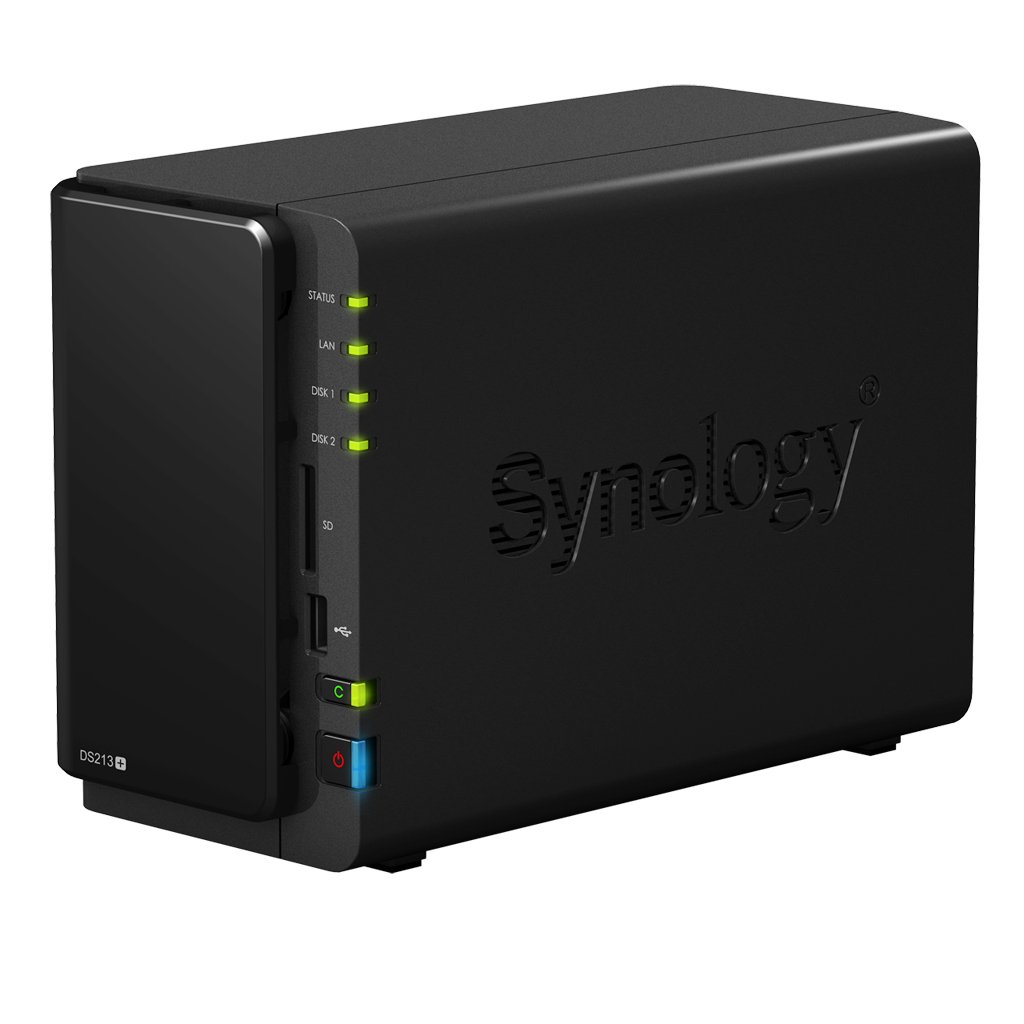
One of the primary reasons people choose to add a Network Attached Server to their home or office is to simply add more storage to their computer's capacity. NAS servers can range in storage capacity from 100-250 gigabytes (GB), all the way up to 8 or more terabytes (TB). With this wide range of storage options, nearly any need can be met, from storage of huge program or video files for groups of people, or just creating a central server, giving multiple users a little extra hard drive space.
Storage space is important, especially for those thinking about their future needs, and an NAS server addresses that need for a group of users working in a small office. This is a much more efficient way to provide storage for people, and resists the need to purchase extra individual hard drives for each computer on the network.
2. Efficient Data Transfer and
Reliable Network Access
A Network Attached Server provides the area or group of computers
attached to it with a method for efficient data transfer, and also
ensures reliable network access. If one computer dies, or has an
unexpected outage, a NAS will continue running and still allow the other
computers on the network to access shared data. Also, NAS servers
create a central hub for a group of computers that allow people to share
folders and large files with little to no effort. Simply dragging and
dropping a sizable file into the shared network folder will allow any
other computer connected to the network server access to that data.
Computers in one shared network can connect to the main NAS server
either wirelessly or through an ethernet cable. This can change the
speed with which data is transferred. Also, the added storage space and
compartmentalizing of data can add overall speed to the network of
computers, which is another great benefit.
3. Ease of Accessibility from
Multiple Locations
Along the same lines of transferring data, Network Attached Servers make
information and files accessible from multiple different locations.
This can be extremely efficient and helpful in a small office setting,
when multiple people need to consult a single document, or even edit it
as a team. Many programs have a feature that allow multiple users
accessing data from different channels to edit a document together at
the same time, but this can only be done through an NAS server. This can
also be helpful for accessing a printer. Many offices or homes only
have one printer attached to one computer that can print. Implementing a
Network Attached Server allows users to have a file on their base
computer, that they can also access from the printing computer. There
are many more situations in which this same type of accessibility is
made fast and easy with an NAS server.
4. Sharing Capacities
One of the reasons many homeowners consider implementing a Network
Attached Server in their house, is to share entertainment capabilities
from room to room. If one person in a home has a CD on their computer,
but they want to listen to it on the family computer in the living room,
a NAS server allows for this functionality. This same capability
applies to sharing videos with each other, or viewing a movie in one
room that is originating in a file on a computer in another room.
Creating a hub where multiple people can access and share media files
like music, movies, images, and more, is an efficient addition to the
entertainment setup in any home. NAS servers also allow a group of
people in one home to access one game, so for those who want to
participate in online gaming with a group of visiting friends, a NAS
server would allow them to share their gaming experience, as well.
5. Protecting Small Network of Data
A NAS server often features encryption software, and is a good way to
protect smaller networks of data, as they are more difficult to breach
than the average computer. Also, anything stored on the Network Attached
Server is kept safe from not only outside attacks, but also from
corruption of files in a computer or hardware malfunctions. On the off
chance that a computer gets dropped or has water spilled on it, the data
on the computer will not be lost as it has been safely stored on the
NAS. While an external computer can manipulate a file, the file itself
is stored on the NAS, not on the external computer.
6. Automatic Backing up of Files
Many NAS servers come with configurations that allow for the automatic
backing up of files. A copied folder can exist both on an individual
computer, and on the server hard drive, and when an individual file
within the folder is changed on the computer, the copy too can be
changed on the server hard drive. This can be done either through a
connective ethernet cable, or in some cases wirelessly as well. The
automatic backing up of files is a huge benefit of owning an NAS server,
and adds a great deal of functionality, security, and peace of mind.
This idea goes along with the previous step, but is an important
distinction, because there are few external memory options that provide
automatic back-up capabilities, and none accomplish backing up of files
automatically throughout a network of many different computers in one
location.
7. Fast Configurations with Low
Complications
One of the major benefits that many consumers enjoy about a Network
Attached Server, is that they take very little technological knowledge
to set up and use. Even though they may seem to be complicated and
different than anything the average computer user has been involved with
in the past, they are fairly simple to configure and use. Most NAS
servers do not have their own screen or keyboard, and most are set up
and managed through an online, web browser-based software application.
This allows the users of the server to configure things like running
time, power usage, bandwidth usage, password protection, encryption,
allowed users, and more.

No comments:
Post a Comment